
Contact numbering can be correct in a schematic and still be wrong in a fabrication drawing if the bottom-side view is mirrored incorrectly. Gold finger PCBs need an explicit relationship between contact identifiers, board faces, viewing direction and nets. Establish that relationship before layout review or continuity testing.
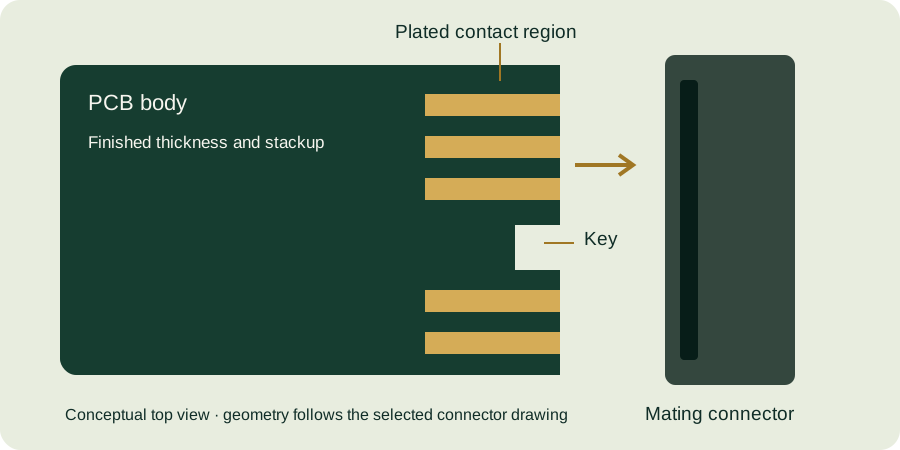
Label how the reader is looking at the board
A “bottom view” may mean looking directly at the bottom surface, or it may be a bottom copper layer displayed through the board from above. Those views are not equivalent. Write the viewing convention beside each contact drawing and indicate the insertion edge and a stable orientation feature.
A photograph is also not self-defining. The card may have been rotated, flipped or shown from behind a fixture. When sharing an investigation image, include a label that connects it to the drawing view rather than relying on left and right in the image.
Create a mapping table before checking artwork
| Interface identifier | PCB face | CAD pad identifier | Assigned net | Reference view |
|---|---|---|---|---|
| A1, illustrative | Top | J1-A1 | NET_A | Top surface, insertion edge downward |
| B1, illustrative | Bottom | J1-B1 | NET_B | Direct bottom-surface view, orientation stated |
The labels in this table are examples, not a connector pinout. Use the exact identifiers from the selected interface documentation. The HSEC1 mating-card drawing shows identifiers on opposing faces; its numbering is not a universal convention for all card-edge connectors.
Use an intentionally asymmetric review feature
In a hypothetical design, the leftmost top contact in the defined view connects to NET_A, while the rightmost connects to NET_Z. Checking only a ground contact that appears in several places may fail to reveal a mirror error. Include uniquely identifiable endpoint signals or another unambiguous mapping in the review.
If the interface itself is symmetric, establish orientation with a controlled reference elsewhere on the board or in the assembly. Do not introduce an arbitrary physical change to a connector footprint simply to make a drawing easier to read.
Separate artwork inspection from electrical evidence
Gerber or manufacturing-data review checks whether the intended geometry and labels have been exported. Netlist comparison checks a different relationship. Continuity testing of the assembled interface provides another layer of evidence, but its fixture and expected mapping must also be correct.
A test fixture built from the same mistaken mirrored drawing can reproduce the error and appear to pass. Have the fixture map checked against the controlled connector pin assignment, not just against the PCB artwork that the fixture is intended to verify. Record what each check establishes and what it leaves untested.
Numbering review checklist
- Identify the exact connector ordering code and drawing revision.
- Label direct-view versus through-board conventions.
- Show the insertion edge and a stable orientation reference.
- Map interface identifiers to CAD pads and nets.
- Check contacts on both sides of any key notch.
- Review test-fixture mapping independently of the artwork under test.
Continue with the gold finger PCB design guide and inspection planning guide. Request a fabrication-package review with both face views and the pin-assignment table attached.
Continue with our gold finger PCB design guide and engineering tools.