
A datum gives a dimension a repeatable reference. For a gold finger PCB, the choice affects how the contact pattern, key notch and finished outline are located relative to one another. A drawing can contain individually plausible dimensions and still leave the interface ambiguous if those dimensions refer to different or undefined edges.
This guide describes a practical review method. It does not prescribe a universal datum scheme or replace formal geometric dimensioning requirements in a controlled product drawing.
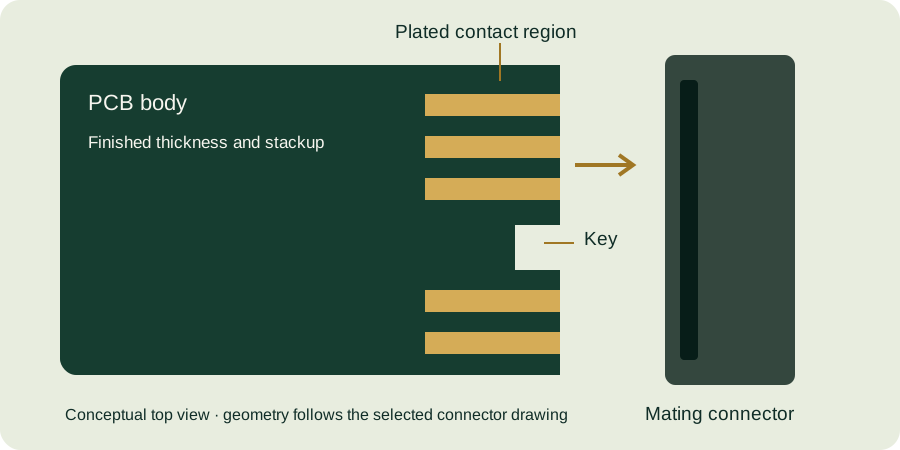
Choose references that describe the mating relationship
Ask what physically locates the card in its assembly. The answer may involve a side guide, a key feature, an insertion stop and the board surfaces. A convenient CAD origin is not necessarily the most useful reference for inspecting that relationship. Document how the chosen reference features connect to the connector and enclosure requirements.
Distinguish a finished edge from a theoretical intersection before beveling. If a dimension starts from “board edge,” say which edge and which processing state it means. A chamfered edge presents several visible boundaries, and measuring from the wrong one can change the result even when the measuring instrument is accurate.
Compare coordinate and chained dimensions
Consider an illustrative two-step chain: feature B is 5.00 ± 0.10 mm from reference A, and feature C is 4.00 ± 0.10 mm from B. A simple worst-case sum places C between 8.80 and 9.20 mm from A. If C instead has a directly controlled 9.00 ± 0.10 mm position from A, that requirement allows 8.90 to 9.10 mm. These are different acceptance conditions.
Neither drawing style is automatically correct for every design. The important point is to control the functional relationship deliberately. Do not add a redundant direct dimension to a chain without stating which dimensions control acceptance; conflicting constraints make inspection and deviation decisions difficult.
Keep the connector’s references visible
Samtec’s HSEC1 mating-card drawing uses a centerline and identifies symmetry in its notes. When translating a supplier drawing into a CAD footprint, retain the intended relationships rather than replacing them with a convenient but undocumented reference scheme.
For a keyed card, verify both the key-to-contact relationship and the key-to-outline relationship. Correct contact pitch does not prove correct key location. Likewise, an outline that fits guide rails does not prove that the contact array lines up with the connector contacts.
Create a short measurement record
| Record field | Example of the information needed |
|---|---|
| Reference identity | The named finished edge, surface or centerline shown in the drawing |
| Measurement view | Top view with insertion edge explicitly identified |
| Feature definition | Contact center, conductive edge or key wall |
| Processing state | Finished board after agreed profiling and bevel operations |
| Acceptance source | Drawing revision and dimension identifier |
Take care with inspection fixtures. A fixture that locates from a rough or nonfunctional edge can create disagreement with an optical measurement using the intended datum. Agree on the measurement setup before treating small differences as proof of a manufacturing defect.
Datum review checklist
- Identify the features that actually position the assembly.
- Define finished versus theoretical edge references.
- Check key and contact locations in one consistent scheme.
- Avoid conflicting chained and direct dimensions.
- Record inspection orientation and setup.
Continue with bevel geometry and the gold finger PCB design guide. Request a drawing review with any uncertain datum highlighted in the attachment.
Continue with our gold finger PCB design guide and engineering tools.